Transitioning from SAP PO to CPI: The Core Architectural Mindset Shift
If you have spent years working with SAP Process Orchestration (PO/PI), you possess a massive competitive advantage in today’s enterprise landscape. You already understand complex data structures, data mappings, and the critical nature of core business processes.
However, as thousands of enterprises race to migrate their on-premise systems to the cloud before legacy support windows close, many veteran PO consultants encounter a “struggle wall” during their first year with SAP CPI (SAP BTP Integration Suite).
The obstacle isn’t that Cloud Integration is more difficult; it’s that the underlying mechanics are fundamentally different. To successfully transition from a developer who simply builds interfaces to an Integration Architect who designs scalable enterprise landscapes, you have to master the core paradigm shift: Moving from an On-Premise Monolith to a Cloud-Native Stream.
Let’s break down exactly how these two integration worlds differ under the hood and how to wire your brain for cloud-native success.
1. Monolith vs. Cloud: Where Did the Architecture Go?
In SAP PO, we operated within an on-premise, dual-stack or single-stack Java application server. Our integration logic was cleanly—and rigidly—divided into two distinct application silos: the Enterprise Services Repository (ESR) for structural design and the Integration Directory (ID) for configuration.
SAP CPI completely dismantles this separation. Everything you need is now packaged inside a single, unified cloud container called an iFlow (Integration Flow).
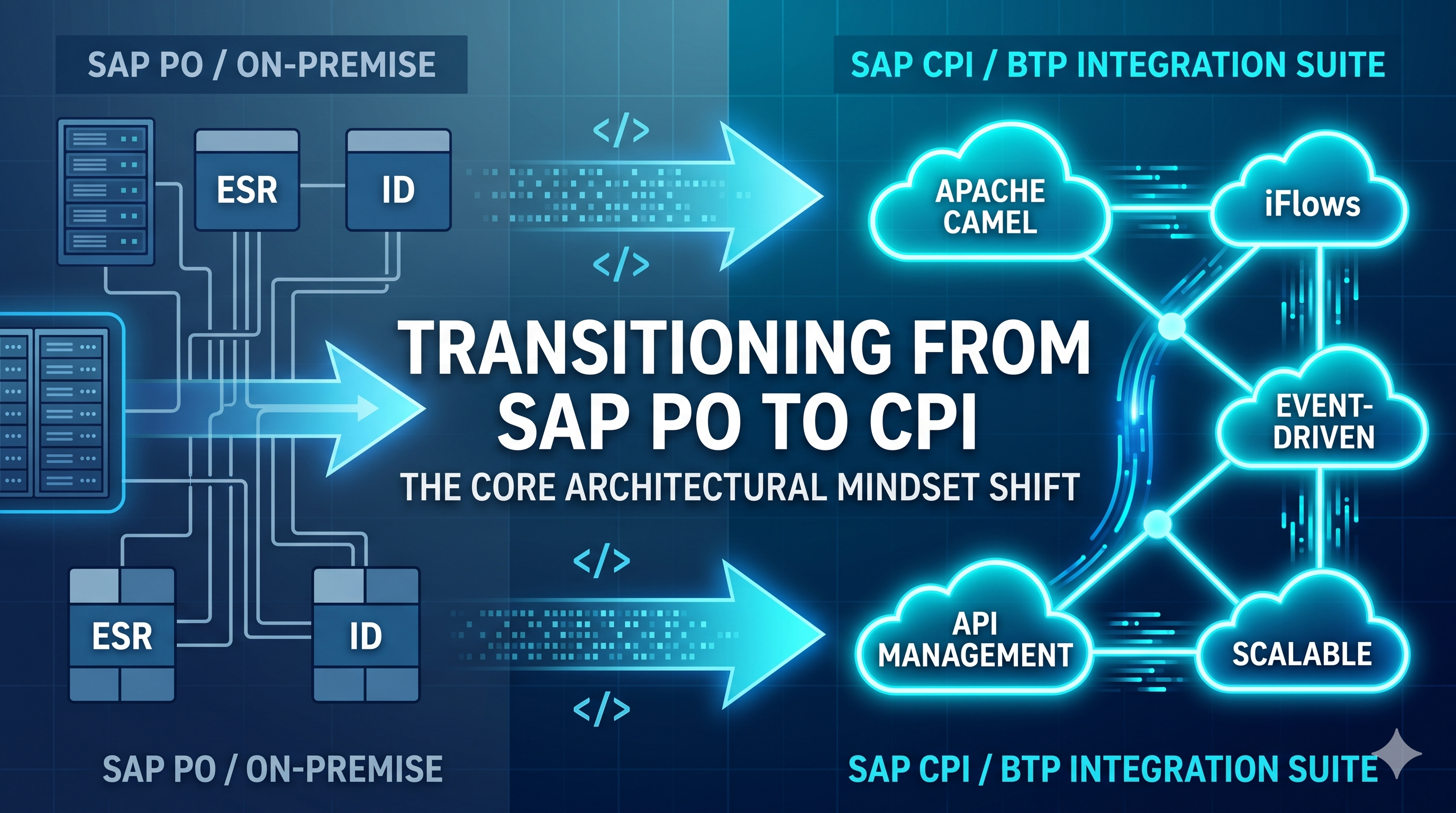
To visualize the transition, observe how traditional on-premise components map directly into SAP’s modern cloud ecosystem:
- ESR (Design Objects) ➡️ The Design Tab (Artifacts): Instead of a massive, global repository where Data Types and Message Mappings exist independently, your structures, mappings, and scripts are self-contained right inside your specific integration package.
- Integration Directory (ID) ➡️ Externalized Configuration: The days of navigating separate Sender/Receiver Determinations, Interface Determinations, and Collaboration Agreements are gone. In CPI, configuration happens directly on the graphical adapter endpoints or via tenant-level variables called Externalized Parameters (
{{parameter}}). - The Java Engine Runtime ➡️ Worker Nodes (Pods): SAP PO shared a single, massive pool of local server hardware memory across all running interfaces. In contrast, SAP CPI provisions virtualized, isolated runtimes called Worker Nodes (running as lightweight container pods) dedicated solely to your company’s tenant.
2. The Core Internal Engine: Mastering Apache Camel
This is the technical revelation that helps the transition click for senior developers. SAP PO runs on proprietary SAP Java frameworks. SAP CPI is powered by Apache Camel, a highly popular, open-source, Java-based integration routing framework.
When you hit “Deploy” on a CPI canvas, your graphical iFlow compiles directly into an Apache Camel route. Because of this, data does not travel through the pipeline as static, stationary files. Instead, it moves as an active, continuous stream enclosed within a data wrapper called The Exchange.
As an architect, you must always know what is inside the Exchange at any given step. It is split into two major memory spaces:
A. Properties (Global Scope)
Properties are key-value variables that you create that attach directly to the outer Exchange container. They enjoy a global lifecycle, meaning they persist across the entire execution path of your iFlow. Calling an external REST API, modifying your core data payload, or routing through loops will never delete or alter your Properties.
B. The Message (Transient Step Scope)
Unlike Properties, the Message space is highly volatile and changes at almost every single step on your design canvas. It contains:
- Headers: Metadata tags relevant to the current processing step (such as HTTP status codes, file directories, or authorization tokens). Architect Warning: Be careful! Standard cloud HTTP adapters will automatically forward your internal CPI headers to external target APIs unless you explicitly strip them out using a Content Modifier.
- Body: The actual payload (XML, JSON, or Flat File string) being parsed or mapped at that exact milestone.
3. Designing for Cloud Realities: The Failure Points
Shifting to an architect mindset means moving away from just designing the “happy path” and actively preparing for how cloud systems fail. There are two major architectural realities in CPI that differ heavily from traditional on-premise PO architectures:
The Strict Memory Ceiling
If an unoptimized legacy interface in SAP PO processed a massive 50MB file, the local server’s massive Java hardware heap could usually swallow the payload without a hitch.
Cloud environments don’t work that way. Your virtualized CPI Worker Nodes have tight, strict memory ceilings. If you read a large payload completely into memory using an unoptimized DOM parser or a heavy Groovy script, you will instantly trigger a Java Heap Space Out Of Memory error and crash the runtime thread. In CPI, an architect must design for data streaming and use Splitters early in the flow.
Statelessness by Default
SAP PO acts as a heavy system of record, logging extensive audit trails and persisting message payloads to database tables automatically.
SAP CPI is a lean, mean, stateless routing speed demon. Message Processing Logs (MPL) are completely purged from the cloud tenant after 30 days by default. Furthermore, payload data is never persisted automatically. If your requirements demand message tracking or audit ledgers, you must architect that manually using Data Stores, variables, or centralized ProcessDirect logging sub-flows.
The Verdict
Transitioning from SAP PO to SAP CPI isn’t just about learning a new web-based user interface. It requires moving from a Centralized Configuration Monolith to a Stream-Based Cloud Pipeline.
Once you understand that every step on your canvas is simply manipulating an Apache Camel Exchange, you unlock the ability to build faster, cleaner, and highly scalable enterprise integrations.
Are you currently working through an SAP PO to CPI migration? What has been the biggest architectural surprise you’ve encountered so far? Let’s discuss in the comments below!
🚀 What’s Coming Next
In our next technical guide, we will dive deep into the practical setup of the cloud dashboard. We will cover Navigating the BTP Environment, Discovering Standard Content, and Package Lifecycle Design so you can structure your enterprise integration projects seamlessly. Stay tuned!
Post Comment